Aug 27, 2026

How to integrate Currai with Retell AI for browser voice agents

A code-first guide to turning Retell AI browser calls into Currai sessions, readable conversation User Stories, and correctly nested voice-agent traces.

FEATURES14 min readThe Currai team / Engineering

A voice call can connect successfully and still fail the user.

The microphone may be open while speech recognition misses the request. The agent may generate a useful answer that never reaches audio playback. A user may repeat the same question three times before leaving. Looking only at an HTTP status or a call duration does not explain any of those outcomes.

A useful production record needs both sides of the experience:

  • the conversation the user actually had;
  • the technical trace behind each turn;
  • the Retell call and agent identifiers;
  • timing and failure state;
  • stable identities that survive retries;
  • a server boundary that protects every secret.

This guide connects a Retell AI browser voice agent to Currai using native HTTP capture. Retell continues to run the real-time voice call. Currai receives the normalized conversation and trace evidence needed to understand user intent, failures, violations, and agent quality.

By the end, one completed Retell call will appear in Currai as:

session: one complete browser call

event: retell.voice_call

agent: retell.conversation.turn
 model: retell.model

The top-level agent events contain recognizable user and assistant messages, so the conversation renders as a User Story instead of an empty trace.

Run the reference implementation

The complete application is available in the public Currai examples repository. The Retell AI example includes server-side voice and agent creation, short-lived web-call tokens, direct browser audio transport, rolling transcript reconciliation, completed-call retrieval, Currai capture, and tests.

git clone git@github.com:curraiapp/examples.git
cd examples/retell
cp .env.example .env.local
pnpm install
pnpm dev

Add your own Retell AI and Currai credentials to .env.local. Never commit that file. The repository includes only placeholder environment templates and excludes credentials, dependencies, caches, and build output.

What is Retell AI?

Retell AI is a platform for building real-time voice agents. It manages speech recognition, turn taking, model responses, speech generation, and call records.

For a browser call, the application first asks its own server to create a short-lived web-call token. The server calls Retell's create-web-call API with the private Retell API key. The browser receives only the temporary access token and joins the audio room.

The token must be used quickly. Retell invalidates a web-call token if the browser does not start the call within 30 seconds.

What is Currai?

Currai is a user-intelligence and agent-quality platform. It connects the conversation a user experienced to the model, tool, guardrail, and application events that produced it.

That helps product and engineering teams answer questions such as:

  • What were callers trying to accomplish?
  • Which requests caused repetition, abandonment, or frustration?
  • What did the agent say immediately before a failed outcome?
  • Which provider execution belongs to each conversation turn?
  • Are important intents, errors, or policy violations increasing?
  • Did a prompt or model change improve real conversations?

Currai does not replace Retell or your application logs. It adds the conversation and quality layer around them.

The integration uses native fetch calls. You do not need a Currai SDK.

The architecture

The browser owns the live call, but both private keys belong on the server. That creates three clear boundaries:

  1. Retell control plane: server routes list voices, create agents, create a web-call token, and retrieve the completed call.
  2. Browser media plane: the browser uses the temporary token to send microphone audio, play agent audio, and retain rolling transcript updates.
  3. Currai capture plane: a protected server route validates the call boundary, prefers Retell's completed transcript, and sends normalized sessions and events to Currai.
Browser
   POST /api/calls 
                                    
                      Your server  POST Retell create-web-call
                                    
   temporary token  voice room   
   rolling transcript             
                                    
   POST /api/currai/voice 
                                      GET completed Retell call
                                      POST Currai session + events

What you need

Before starting, prepare:

  • a working Retell AI voice agent;
  • a server-side RETELL_API_KEY;
  • a Currai workspace and ingestion key pair;
  • a browser application running on HTTPS or localhost;
  • a server route capable of making outbound HTTP requests;
  • the user's consent and an appropriate transcript-retention policy.

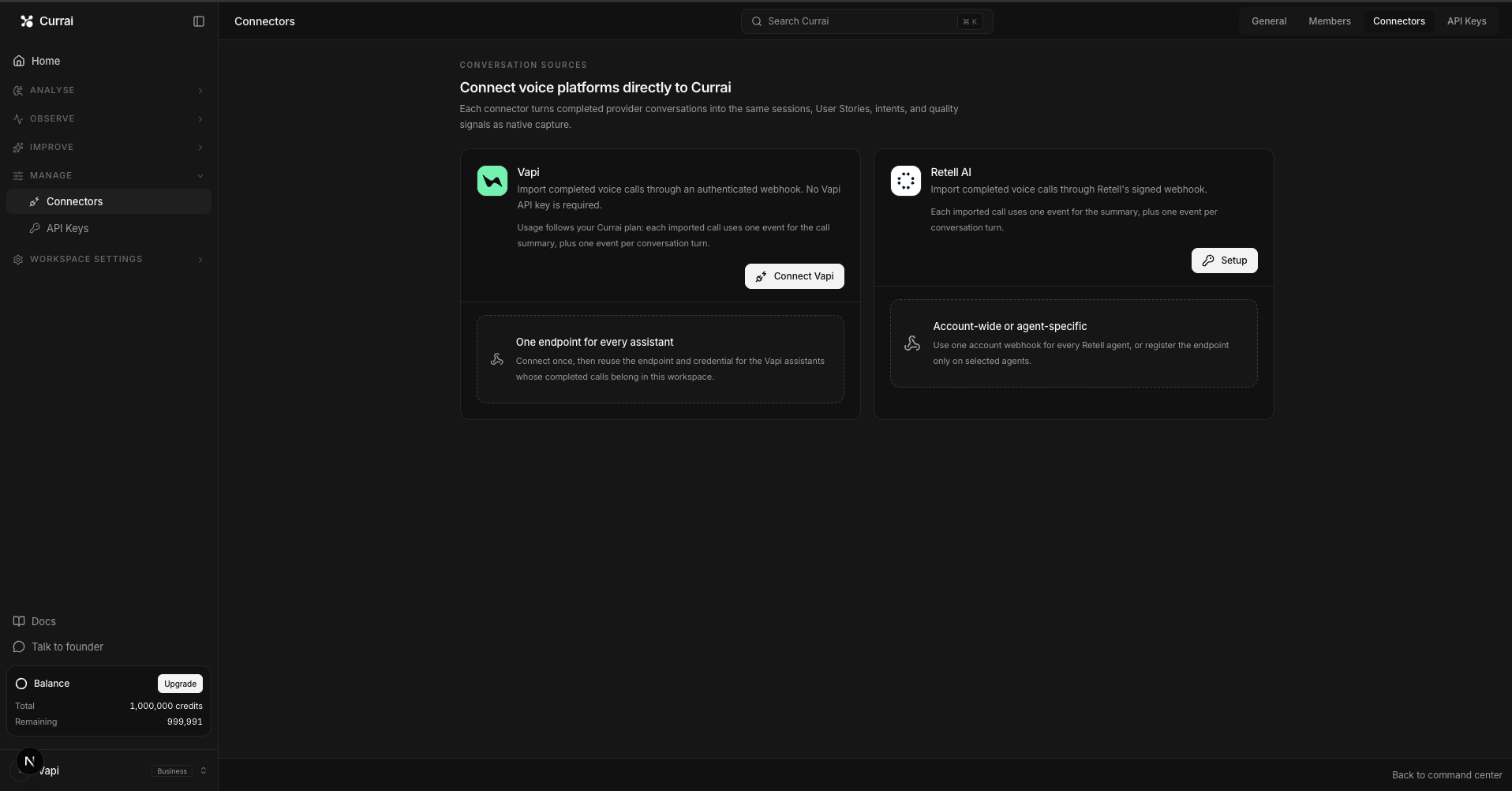
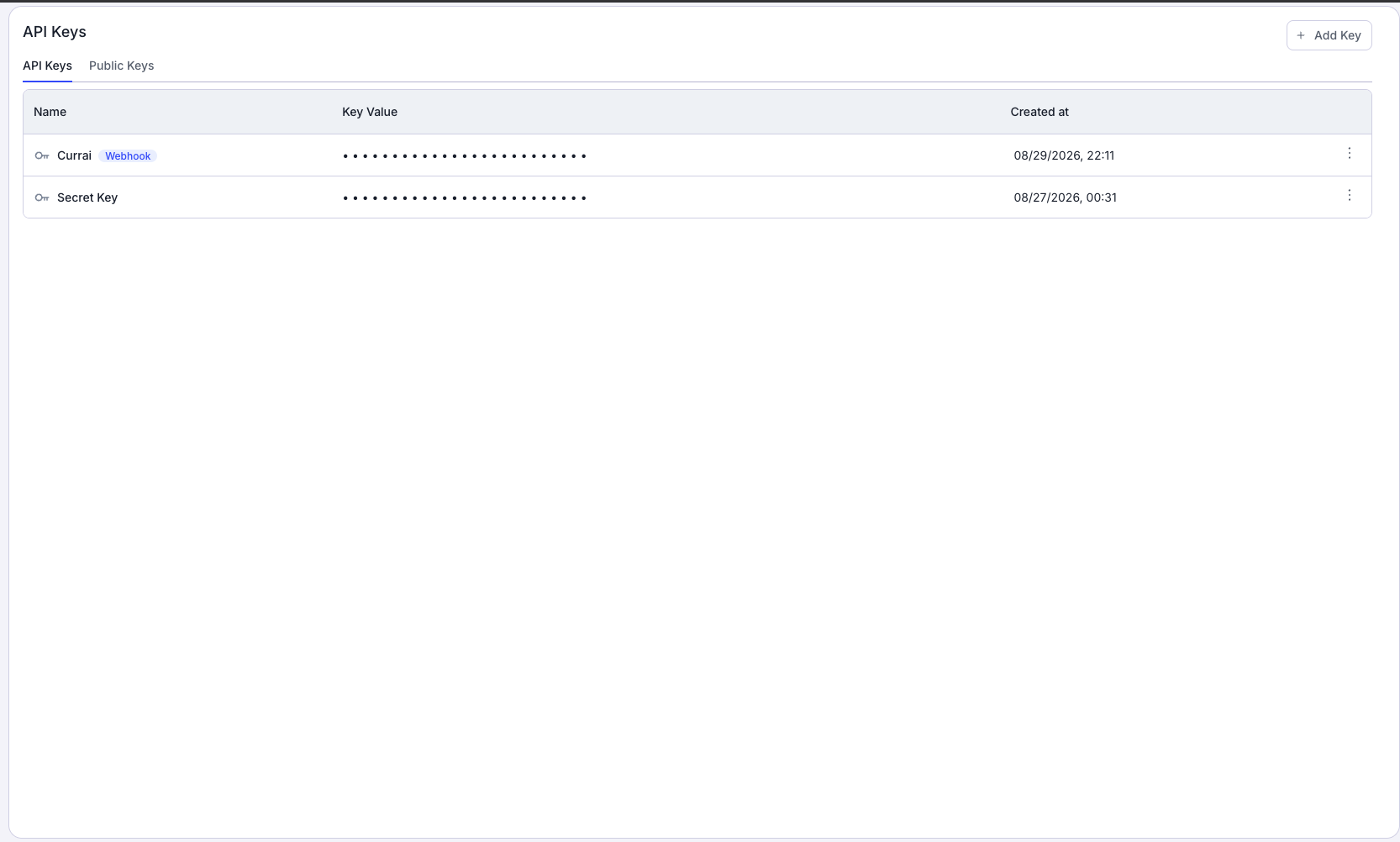
Create the Currai ingestion key during onboarding or from Workspace Settings → API Keys. Store the secret immediately. Never paste it into client code, screenshots, logs, or public environment variables.

Step 1: Prove the Retell call works first

Run the voice application without Currai capture and complete one short call. For a pnpm-based Next.js application:

pnpm install
pnpm dev

Open the printed URL, allow microphone access, start the call, speak one clear request, and wait for the agent to answer.

Confirm all of these before continuing:

  • the call connects;
  • the microphone sends audio;
  • agent audio plays;
  • user and agent transcript turns appear;
  • the completed call appears in Retell Call History.

If that baseline fails, fix the Retell call first. Observability can explain a voice failure, but it cannot repair an invalid token, denied microphone, or broken audio transport.

Step 2: Configure server-only credentials

Add the following variables to the server environment:

RETELL_API_KEY=<your-retell-api-key>
CURRAI_PUBLIC_KEY=<your-currai-public-key>
CURRAI_SECRET_KEY=<your-currai-secret-key>
CURRAI_BASE_URL=https://www.currai.app

Do not prefix any of them with NEXT_PUBLIC_. In Next.js, that prefix makes a value available to browser bundles.

Restart the application after changing its environment.

If you want a coding agent to perform the Currai wiring, install the published Currai Skill from the application repository:

npx skills add https://github.com/curraiapp/skills --skill currai

Then ask it to connect the live Retell conversation boundary to Currai. The skill uses native HTTP capture and keeps Currai credentials server-side.

Step 3: Create the Retell web-call token on the server

The browser must never call Retell with RETELL_API_KEY. Add a protected route such as POST /api/calls that accepts a validated agent ID and calls Retell:

const response = await fetch("https://api.retellai.com/v2/create-web-call", {
  method: "POST",
  headers: {
    Authorization: `Bearer ${process.env.RETELL_API_KEY}`,
    "Content-Type": "application/json",
  },
  body: JSON.stringify({ agent_id: agentId }),
  cache: "no-store",
});

Return only the safe fields the browser needs:

return Response.json({
  accessToken: body.access_token,
  callId: body.call_id,
});

Create this token only after the user selects Start call. Creating tokens during page load wastes their short validity window and produces failed Retell call records when users never begin the conversation.

Step 4: Start one capture context per call

Create stable identifiers before requesting the token:

voiceCaptureRef.current = {
  sessionId: crypto.randomUUID(),
  userId: getAnonymousUserId(),
  boundaryEventId: crypto.randomUUID(),
  agentId: selectedAgent.id,
  startedAt: Date.now(),
  success: true,
};

After /api/calls responds, attach the Retell call ID:

capture.callId = response.callId;

Each identifier has one job:

IdentifierPurpose
sessionIdGroups every event from one complete voice call
userIdGroups calls from the same privacy-reviewed user identity
boundaryEventIdIdentifies the call-level event and seeds child IDs
agentIdLinks the trace to the configured Retell agent
callIdLinks the session to Retell Call History

Use your existing application user ID when one is already available and privacy-reviewed. For an anonymous demo, store a random UUID in local storage. Do not derive identity from a transcript, access token, or IP address.

Step 5: Retain Retell's rolling transcript

Retell sends live transcript updates as a rolling window rather than an append-only log. A later update may repeat previous utterances and revise the active one.

Appending every update produces duplicated conversations. Reconcile the new window against the retained transcript:

client.on("update", (update) => {
  const incoming = parseRetellTranscript(update);
  if (incoming.length === 0) return;

  const retained = reconcileRetellTranscript(transcriptRef.current, incoming);

  transcriptRef.current = retained;
  setTranscript(retained);
});

A useful reconciler should:

  • append turns after an exact overlapping window;
  • replace the active utterance when Retell extends or revises it;
  • suppress exact duplicate turns;
  • retain older turns after they leave Retell's rolling window;
  • normalize Retell's agent role to assistant.

The retained browser transcript is important, but it is still a fallback. Retell's completed call record is the authoritative source after processing finishes.

Step 6: Upload without blocking the voice experience

When the call ends, add endedAt and send the stable payload to a protected route such as /api/currai/voice:

const payload = {
  ...capture,
  endedAt: Date.now(),
  transcript: transcriptRef.current,
};

await fetch("/api/currai/voice", {
  method: "POST",
  headers: { "Content-Type": "application/json" },
  body: JSON.stringify(payload),
  keepalive: true,
});

Build the payload once and reuse it for every retry. Stable session and event identities prevent a transient network failure from turning one call into several traces.

Retry temporary failures such as 429, 502, or 503 after short delays. Do not retry a permanent 400 response with the same invalid body.

Most importantly, capture is best-effort from the caller's perspective. A Currai outage must never interrupt or change the Retell call result.

Step 7: Validate the capture route

The server route should distrust everything received from the browser. Before contacting either provider, validate:

  • request size;
  • UUID format;
  • Retell agent and call ID format;
  • timestamps and success state;
  • transcript length;
  • each role and text value;
  • maximum text length;
  • the absence of secret, token, cookie, and authorization keys.

Reasonable limits for a browser example are a 64 KB request, 200 transcript entries, and 8,000 characters per utterance.

Rejecting sensitive key names is defense in depth. The browser should never possess either provider's secret, but the capture route should still refuse to relay one if it appears in a nested payload.

Step 8: Prefer Retell's completed transcript

If the browser supplied a callId, retrieve the completed call on the server:

const response = await fetch(
  `https://api.retellai.com/v2/get-call/${encodeURIComponent(callId)}`,
  {
    headers: {
      Authorization: `Bearer ${process.env.RETELL_API_KEY}`,
    },
    cache: "no-store",
  },
);

Normalize transcript_object into simple user and assistant entries. If the completed record is available and contains turns, use it. Otherwise, continue with the retained browser transcript:

const authoritative = await getCompletedRetellTranscript(callId);
const transcript = authoritative ?? browserTranscript;
const transcriptSource = authoritative ? "retell-call" : "browser-fallback";

The fallback matters because call completion and transcript processing are not always simultaneous. Capture should still succeed when Retell has not finished processing the authoritative transcript.

Record transcriptSource in event metadata so debugging does not have to guess which evidence was used.

Step 9: Normalize transcript entries into conversation turns

First coalesce consecutive fragments from the same speaker:

user:      I need to change
user:      my delivery address
assistant: I can help with that

becomes:

user:      I need to change my delivery address
assistant: I can help with that

Then pair a user message with the assistant response that follows it. Preserve assistant-first greetings and unmatched final user turns. Never invent text to make a pair complete.

Possible normalized turns are:

{ input: "I need to change my delivery address", output: "I can help." }
{ output: "Welcome. How can I help today?" }
{ input: "Are you still there?" }

Step 10: Create the Currai session before its events

The server must await session creation before sending the first event:

const sessionAccepted = await captureCurraiSession({
  sessionId,
  userId,
  timestamp: startedAt,
  properties: { source: "retell-web" },
  metadata: {
    route: "browser-voice-call",
    environment: process.env.NODE_ENV ?? "development",
  },
});

If the session is rejected, return a retryable 503. Do not continue sending orphaned events.

Every event needs its own UUID. Derive child event IDs deterministically from the stable call-boundary ID and turn index, or create and store them before the first upload. Repeated uploads must reuse the same IDs.

Step 11: Emit readable agent evidence and nested model events

Start with one call-boundary event:

{
  kind: "event",
  name: "retell.voice_call",
  args: { agentId },
  result: {
    transcriptEntries: transcript.length,
    conversationTurns: turns.length,
  },
  success,
  latency: endedAt - startedAt,
  metadata: {
    provider: "retell",
    callId,
    transcriptSource,
  },
}

For every normalized conversation turn, emit a top-level agent event:

{
  kind: "agent",
  name: "retell.conversation.turn",
  args: { input: "I need to change my delivery address." },
  result: { output: "I can help with that." },
  metadata: { provider: "retell", callId },
}

Currai recognizes fields such as args.input, args.prompt, and args.message as user evidence. It recognizes result.output, result.text, result.response, and result.answer as assistant evidence.

A custom transcript property is useful trace metadata, but it does not replace those recognized fields. If the top-level agent event contains no recognized input or output, Currai may receive the trace while the User Story still appears empty.

Nest the provider execution under the agent turn:

{
  parentId: agentEventId,
  kind: "model",
  name: "retell.model",
  args: { input: "I need to change my delivery address." },
  result: { output: "I can help with that." },
  metadata: {
    provider: "openai",
    model: "gpt-4.1-mini",
    callId,
  },
}

Only include a provider or model when the application knows it reliably. If Retell can route calls across models dynamically, do not guess from a default configuration.

The final trace should look like:

retell.voice_call

retell.conversation.turn
 retell.model

retell.conversation.turn
 retell.model

Step 12: Verify one real call end to end

Run the application's normal checks:

pnpm test
pnpm typecheck
pnpm lint
pnpm build

Restart the app and make one real call. Use a request with an obvious response, for example:

I need to move my appointment from Tuesday afternoon to Friday morning.

Wait for the agent to answer, then end the call. Verify:

  1. Retell Call History: the matching callId exists and has a completed transcript.
  2. Currai session: one call produced one session with source retell-web.
  3. Call boundary: retell.voice_call contains timing, success, agent ID, call ID, and transcript source.
  4. Trace nesting: every retell.model event is a child of the matching retell.conversation.turn event.
  5. Readable conversation: Analyse → User Stories shows at least one real user or assistant message.
  6. Failure visibility: a failed call records success: false and its safe failure reason without breaking the voice interface.

Do not declare the integration complete after seeing only a session or an event row. An empty User Story means transport works but the conversation evidence contract is incomplete.

Common problems and fixes

Retell works, but Currai receives nothing

Confirm CURRAI_PUBLIC_KEY, CURRAI_SECRET_KEY, and CURRAI_BASE_URL exist in the server process handling the capture route. Restart after editing the environment. During debugging, inspect the route's response rather than hiding it behind fire-and-forget capture.

Currai shows a session but no conversation

Inspect the top-level retell.conversation.turn events. They need args.input and/or result.output, or another recognized field. Text stored only on retell.model or inside a custom transcript property does not satisfy the top-level conversation contract.

The transcript repeats earlier sentences

Do not append every Retell update. Reconcile its rolling utterance window, replace the active revision, and suppress overlaps. Prefer the completed transcript_object after the call.

The first assistant greeting is missing

Preserve assistant-first turns. Emit an agent event with result.output even when no user input precedes it.

Capture runs before Retell finishes the transcript

Fall back to the retained browser transcript and record transcriptSource: "browser-fallback". You may also retry the completed-call lookup briefly, but do not make the browser wait indefinitely.

Retries create duplicate traces

Generate IDs before the first upload and reuse the exact payload. Never create fresh event UUIDs inside the retry loop.

The web-call token expires

Create the token only after Start call is clicked, then connect immediately. Do not preload or cache web-call tokens.

The call connects but the agent is silent

Check microphone permission, browser autoplay restrictions, selected input and output devices, and the matching Retell call log. Provide an explicit Enable sound action when the browser blocks remote audio playback.

Currai is temporarily unavailable

Return a retryable status and preserve the stable payload. The Retell call must continue and end normally. Observability should expose product failures, not create new ones.

Privacy and production checklist

Before deploying, confirm:

  • Retell and Currai credentials exist only on the server;
  • temporary web-call tokens are never logged or persisted unnecessarily;
  • capture follows your consent and retention policy;
  • unnecessary personal data is redacted;
  • IDs are random or privacy-reviewed, never derived from sensitive text;
  • request sizes and transcript lengths are bounded;
  • authorization, cookies, passwords, and tokens are rejected or redacted;
  • capture uses short timeouts;
  • stable IDs survive retries;
  • capture failure never changes the voice-call result;
  • provider and model metadata is included only when known.

What you built

You now have a Retell AI integration that turns browser voice calls into useful Currai evidence without exposing either provider's private credentials.

Retell still owns the real-time voice experience. The browser retains rolling transcript updates and stable call context. The server validates the payload, prefers Retell's completed transcript, creates the Currai session first, and emits readable agent turns with nested model execution.

That turns a vague report such as “the voice agent stopped helping” into an investigable record: the exact Retell call, what the user said, what the agent answered, which model event belongs to the turn, and where the failure occurred.

For an agent-assisted setup, follow How to run the Currai Skill. For the wider pipeline, read Voice AI pipeline observability from audio input to agent outcome. If you also use Vapi, see How to integrate Currai with Vapi. You can also start with Currai free.

FAQ

Does Currai replace Retell AI?

No. Retell runs the real-time voice agent. Currai receives structured evidence from your application so teams can understand conversations, traces, failures, and quality over time.

Do I need a Currai SDK?

No. The integration uses native HTTP requests to Currai's session and event capture endpoints.

Do I need the Retell browser SDK?

Not necessarily. The example behind this guide calls Retell's server APIs directly and uses a small LiveKit browser transport for the temporary web-call token. An application using Retell's official browser SDK can apply the same capture pattern at its live transcript and call-end boundaries.

Why retrieve the completed Retell call?

The browser sees rolling, revisable transcript windows. Retell's completed transcript_object is a better authoritative record when it is available.

Can I send only the raw transcript?

Keep a raw transcript as trace metadata if useful, but readable Currai User Stories require recognized input and output fields on top-level agent events.

What counts as a completed integration?

One real Retell call must produce a Currai session, the expected agent-to-model nesting, and at least one visible user or assistant message in a User Story. A connectivity test or empty session is not enough.

03

Keep going with nearby topics from the Currai blog.