
Connectors
Retell AI
Send completed Retell AI calls to Currai with a signed call-ended webhook.
The Retell AI connector imports new voice calls through signed call_ended webhooks. Currai uses the Retell API key marked with the Webhook badge to verify the X-Retell-Signature on every delivery.
Video walkthrough
Watch how to connect Retell AI to Currai and start analyzing completed calls.
Before you start
You need:
- a Currai workspace where you are an owner or admin;
- a Retell AI voice agent that can complete a test call;
- access to Retell Settings → API Keys and Settings → Webhooks.
1. Create or identify the Retell webhook key
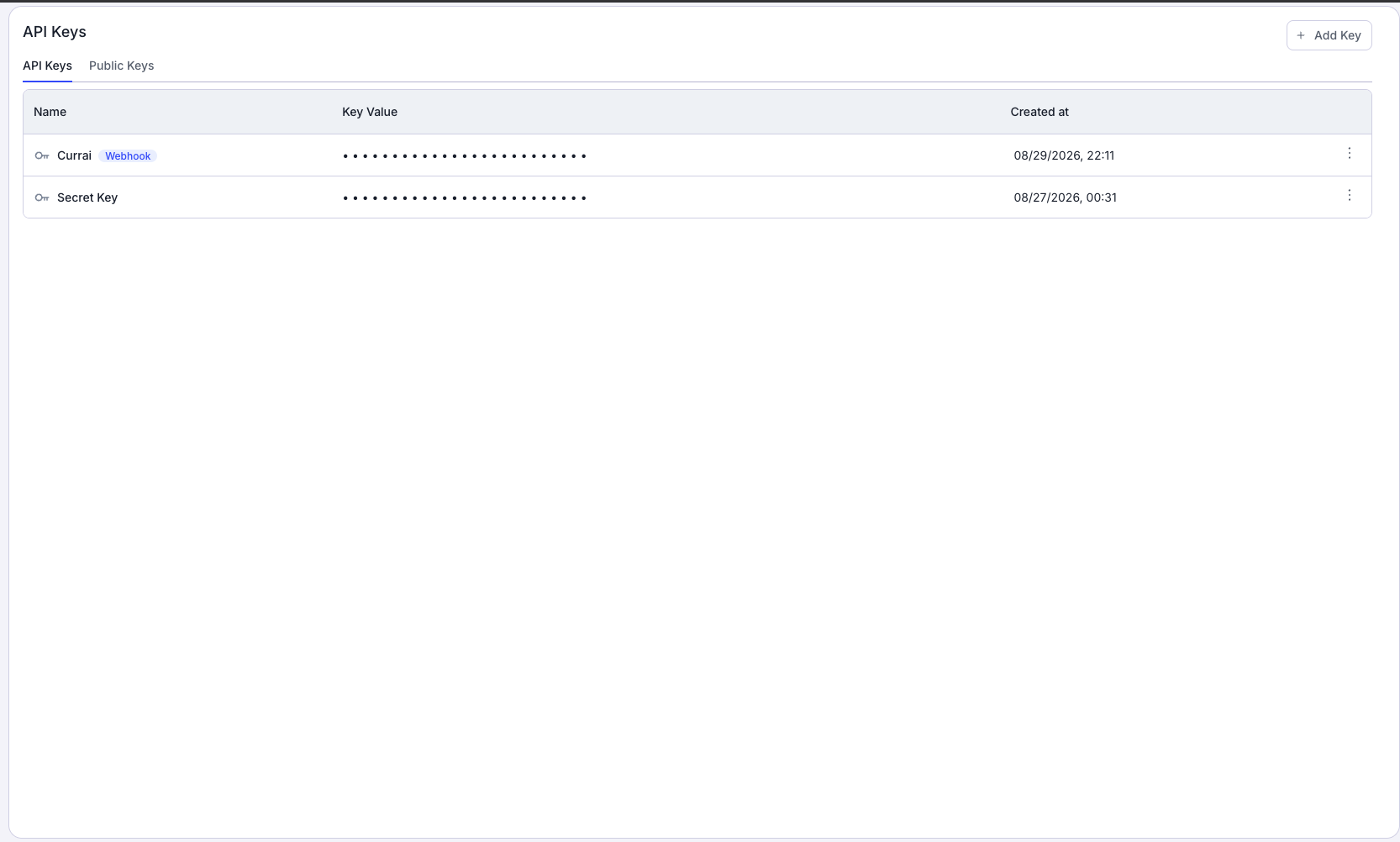
In Retell, open Settings → API Keys. Create a dedicated key such as Currai, or select an existing key, then choose Set as Webhook Key. Confirm that the key has the Webhook badge.
Only the designated webhook key can verify Retell webhook signatures. Copy the full key value when Retell displays it. The masked dots in the API Keys table are not the key.
2. Generate the Currai webhook URL
In Currai, open Settings → Connectors. On the Retell AI card, select Setup:
- Paste the raw Retell webhook API key into Webhook API key.
- Do not add
Bearerbefore the value. - Select Generate webhook URL.
- Copy the generated URL beginning with
https://www.currai.app/api/connectors/v1/retell/.
Currai encrypts the key and never displays it again. If Retell's designated webhook key changes, use Update key in Currai before sending another call.
3. Register the webhook in Retell
To connect every voice agent in the Retell workspace, open Settings → Webhooks and paste the generated Currai URL into the account-level URL field. Save the change, then use Test to confirm Retell can reach Currai.
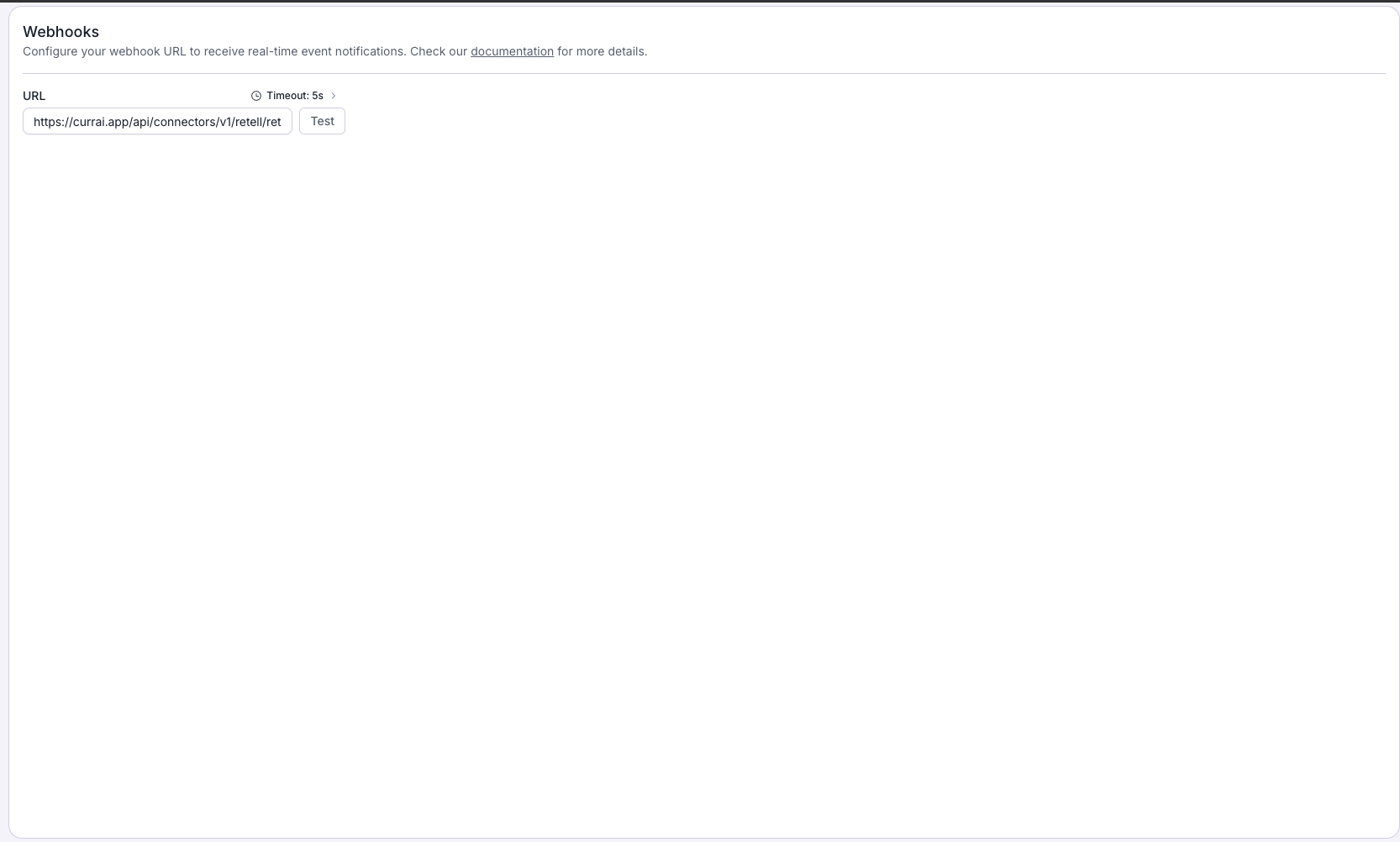
You can instead configure the URL on one agent. An agent-level webhook overrides the account-level webhook for that agent. If a webhook URL already points to another server, do not replace it unless that delivery is no longer needed; forward the signed request from the existing server or dedicate the Currai URL to a selected agent.
When event filtering is available, select only call_ended. Currai safely acknowledges other authenticated Retell events without importing them.
4. Complete a test call
Finish one real voice call. Return to Currai and open Settings → Connectors. The Retell AI status should change from Waiting for first call to Receiving data.
Verify the result in:
- Analyse → User Stories for the complete readable conversation;
- Observe → Events for
retell.voice_callandretell.conversation.turnevents; - Analyse → Intents and Analyse → Violations for matched signals.
The Retell Test button verifies delivery and authentication, but a real completed call is required to provide a transcript and validate the full Currai pipeline.
Local development
Retell cannot post to localhost. Expose the local Currai application with ngrok and register the complete HTTPS development endpoint. For the deployed connector, use the generated https://www.currai.app URL rather than a temporary ngrok URL.
Troubleshooting
- 401 Unauthorized — confirm Currai stores the same key currently marked Webhook in Retell. Update the key in Currai after changing Retell's designation.
- Test succeeds but no conversation appears — complete a real call; Retell's test request may not include a usable
call_endedtranscript. - Calls from one agent are missing — check whether that agent has its own webhook URL overriding the account-level URL.
- Delivery error — check the safe error on the connector card.
event_limit_exceededmeans the workspace has no remaining event credits.
For Retell's provider-side behavior, see the official webhook setup, webhook overview, and API key management documentation.