
Connectors
Overview
Connect supported voice platforms to Currai without adding capture code to the live application.
Connectors import completed provider conversations directly into the same Currai workspace used by native capture. After a provider sends its final webhook, Currai creates a session, reconstructs the conversation, and runs the existing User Story, intent, violation, alert, and analytics pipeline.
Use a connector when the provider already owns the complete call and can send a signed or authenticated end-of-call webhook. No historical calls are imported; capture starts with calls completed after setup.
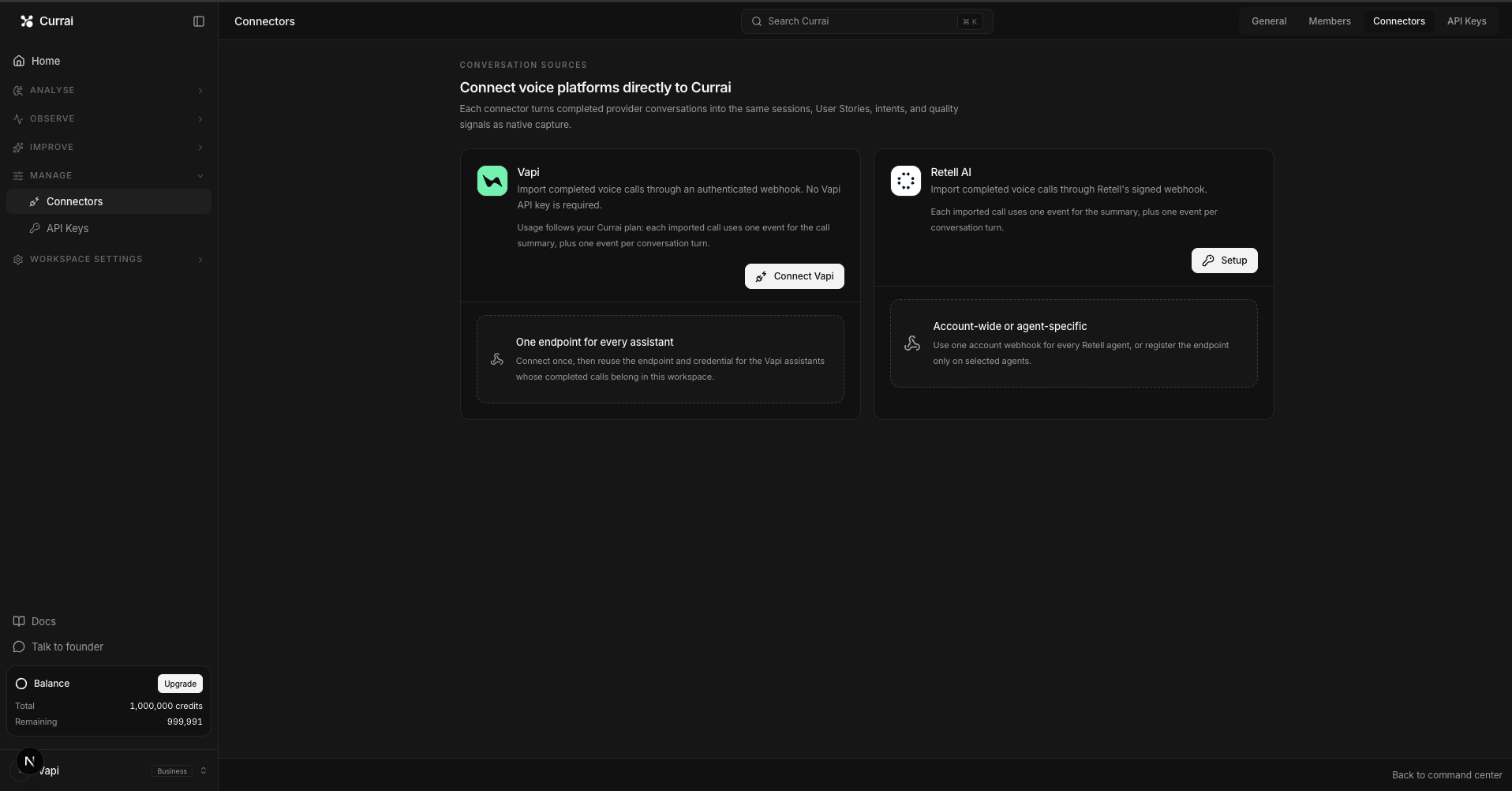
Supported connectors
| Provider | Currai receives | Authentication | Setup guide |
|---|---|---|---|
| Vapi | end-of-call-report | Currai-generated Bearer secret | Connect Vapi |
| Retell AI | call_ended | Retell API key marked with the Webhook badge | Connect Retell AI |
| Ringg AI | call_completed | Currai-generated Bearer secret | Connect Ringg AI |
| ElevenLabs | post_call_transcription | ElevenLabs-generated HMAC signing secret | Connect ElevenLabs |
What Currai imports
For each completed call, Currai creates:
- one deterministic session for the provider call;
- one call-boundary event containing the normalized conversation;
- one agent event for every user turn and its following assistant response;
- classifications and product signals produced by the existing Currai pipeline.
An unanswered final user turn is marked unsuccessful. Provider retries do not create duplicate sessions or consume duplicate event credits.
Usage and privacy
Connector imports follow the workspace's normal event allowance. One completed call uses one event for the call boundary plus one event per normalized conversation turn. When the allowance is exhausted, the connector reports a delivery error instead of importing unlimited conversations.
Currai does not store connector secrets in readable form. Vapi and Ringg secrets are stored only as hashes; Retell webhook keys and ElevenLabs signing secrets are encrypted. Connectors do not retain recording URLs, audio payloads, or raw phone numbers. Existing imported data remains available after a connector is disconnected.
Connection states
- Waiting for first call — setup is complete, but Currai has not imported a report yet.
- Setup incomplete — a webhook URL was generated, but its provider signing secret has not been saved yet.
- Receiving data — at least one authenticated call was imported successfully.
- Delivery error — the latest report could not be imported; Currai retries transient failures automatically.
- Disabled — new webhook deliveries are rejected while existing Currai data is preserved.
Only workspace owners and admins can configure, update, or disconnect a connector.